Make your LinkedIn profile say what your CV says
Recruiters read your CV and your LinkedIn profile side by side. Tabhar checks the two against each other for free, writes the LinkedIn texts from your CV when you want them, and helps you add your CV to your profile — while you stay in charge of what goes on LinkedIn.
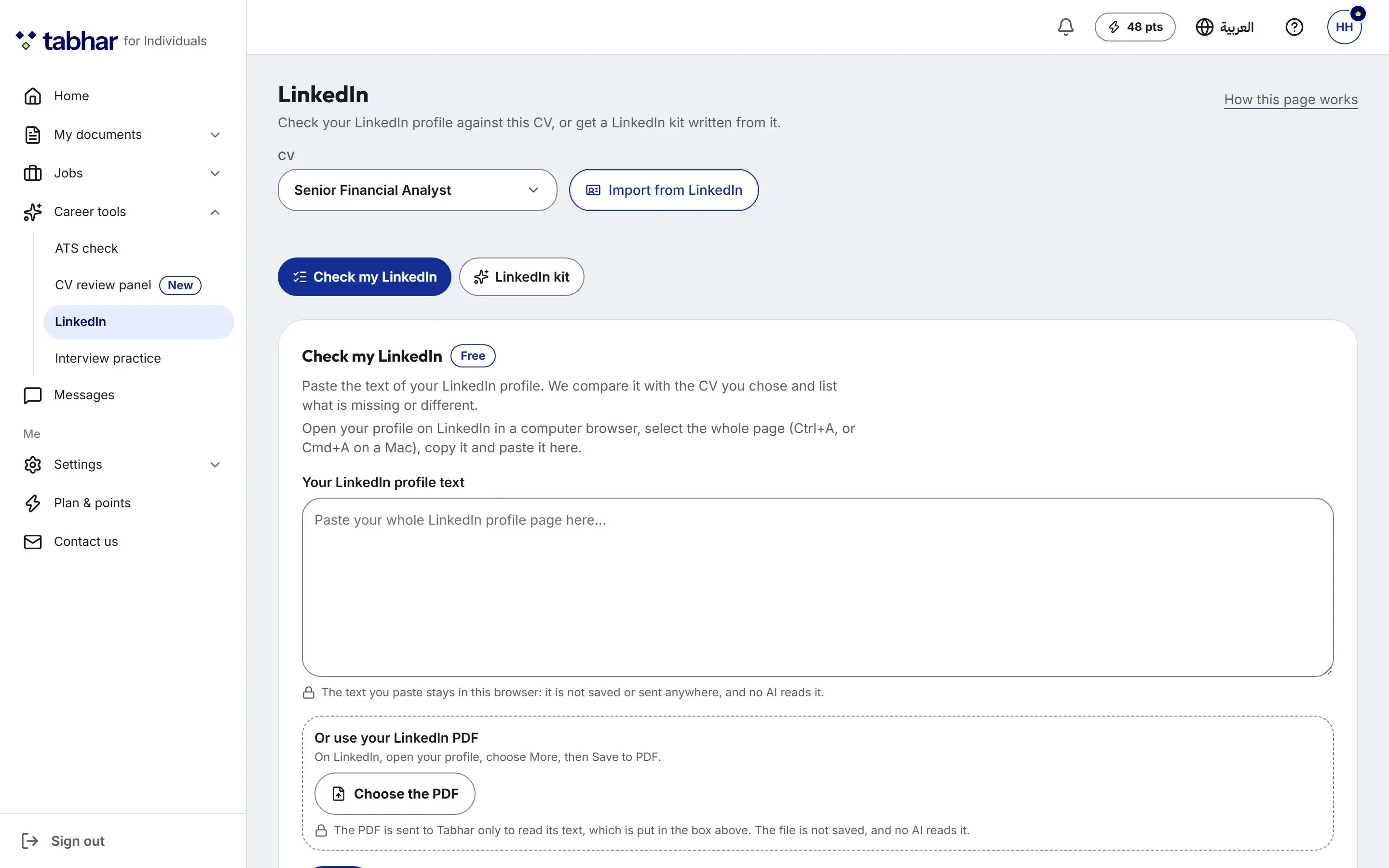
Check my LinkedIn — free, with no AI
Paste the text of your LinkedIn profile, or choose the PDF LinkedIn makes for you (on LinkedIn: your profile, More, Save to PDF). The check lists what your profile is missing or says differently from the CV you chose — sections, dates and skills.
- Pasted text stays in your browser.
- A PDF is read only for its text: the file is not saved, and no AI reads it.
The LinkedIn kit, written from your CV
Three headline options, an About, a description for each role and a skills list — in English and Arabic, written only from one of your CVs. Any figure your CV does not contain is marked on its text for you to check, and each text shows its length against LinkedIn’s own limit.
- LinkedIn’s limits: a headline up to 220 characters, an About up to 2,600.
- Copy each part, or “Copy all”; “Open my LinkedIn profile” opens your own profile, where you paste it.
- A new kit keeps the one it replaces under “Earlier kits”, with a note when your CV changed after that kit was written.
Show your CV on LinkedIn
Choose “Create share link”: a link named “LinkedIn” is made with the Public-safe setting and copied — it shows your name, title, city and links, but not your phone, e-mail or street address. Add it to your profile’s Featured section. You can change what it shows, or stop it, at any time.
The picture LinkedIn shows with your link
Your link comes with its own picture — your name, title, city and photo, each only if the link shows it. The page shows that picture, a suggested description with “Copy description”, and “Download thumbnail” for LinkedIn’s Thumbnail field.
How it works
Three steps
Open Career tools, then LinkedIn, and choose one of your CVs.
Paste your LinkedIn profile, or its PDF, and see what to fix.
Make a LinkedIn kit if you want one, then copy each part into your profile.
Which plans include it?
Check my LinkedIn and the share link are free on every plan. The LinkedIn kit is on the Starter, Pro and Elite plans: it costs 4 points, and writing one part again costs 1 point.
Compare plansGood to know
- Tabhar never signs in to, reads from or posts to LinkedIn: you paste, and you publish.
- The kit is written only from your CV — check every text before you paste it.
Related features
FAQ
Questions about the LinkedIn tools
Does Tabhar connect to my LinkedIn account?
No. Tabhar never signs in to, reads from or posts to LinkedIn. You paste your profile’s text in, and you paste the kit’s texts into LinkedIn yourself.
Is the LinkedIn check free?
Yes, on every plan, and it uses no AI. Only the LinkedIn kit uses points, on a paid plan.
Can the kit write things that are not in my CV?
It is written only from your CV, and any figure your CV does not contain is marked on its text for you to check before you use it.
In which languages is the kit written?
In English and Arabic, from the same CV.
Start free today
Start with your own CV
Build your first CV free, in English or Arabic, and take it all the way to the interview — no credit card needed.