Bilingual CVs
An Arabic CV that reads right — and an English one too
Every template is designed for English and Arabic. Switch a CV to Arabic and the whole page mirrors, with Arabic fonts and the details that usually break — phone numbers, email addresses, digits — handled for you.
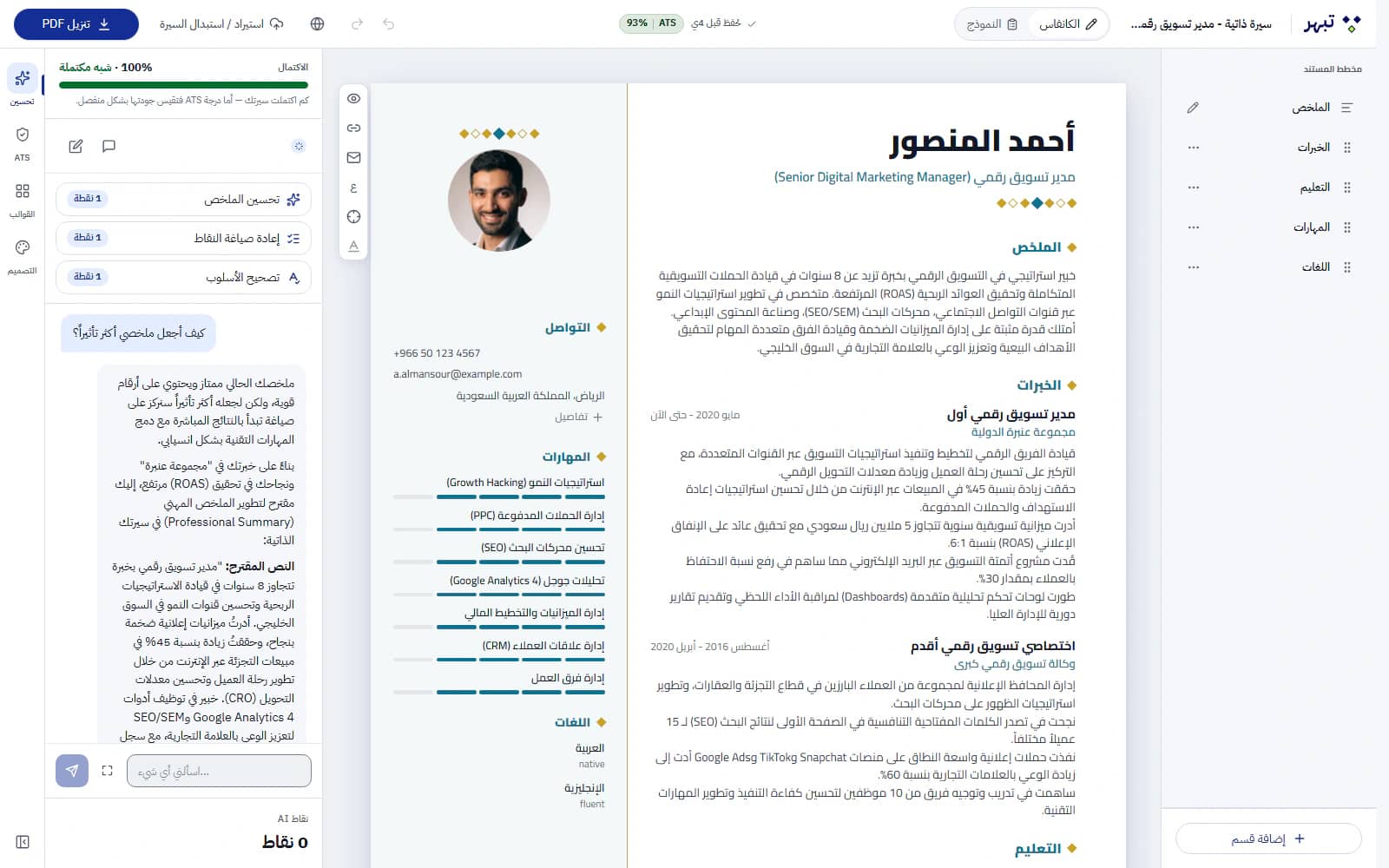
Right to left, done properly
The layout, headings and lists mirror for Arabic, while phone numbers, email addresses, websites and LinkedIn links stay left to right so they read correctly.
Fonts for each script
Choose Arabic fonts such as Cairo, Tajawal, Amiri, Noto Kufi Arabic or Scheherazade New; Latin fonts such as Inter, Roboto, Lato, Merriweather, Playfair Display or Source Sans; or Noto Sans and IBM Plex Sans Arabic, which cover both. An Arabic name inside an English CV keeps its Arabic letters in the PDF.
Western digits, everywhere
Dates and numbers use Western digits (2024, 18%) in both languages, and Arabic-Indic digits you type or import are converted for you.
A grammar check for your Arabic
On a paid plan, the editor's Spelling and grammar panel checks the grammar of the Arabic in your CV or cover letter when you ask it to — the whole document or one section, up to 20 times a day. Each suggestion is marked in blue with a short reason, and nothing changes until you apply it.
- It corrects grammar only and is built never to change a name, a number or a fact. The fields that hold names — yours, your employers’ and your schools’ — are never sent to be checked
- The checks renew every day at midnight UTC; the editor shows how many are left and when they renew, in your own time. A check uses no points
One language per CV — both when you need them
A CV holds one language at a time. To send both, duplicate it and write the second version, or translate it with AI into a new copy for 3 points.
Templates with Arabic roots
Heritage templates such as Amiri Elegant, Naskh Heritage and Cultural Modern, alongside Gulf Corporate and Bilingual Bridge, were designed with Arabic typography in mind.
How it works
Three steps
Create a CV and set its language to English or Arabic.
Pick a template and a font made for that script.
For a second language, duplicate the CV or translate it into a new copy.
Which plans include it?
English and Arabic CVs are available on every plan, including Free. The AI translation and the Arabic grammar check need a paid plan: Starter, Pro or Elite.
Compare plansGood to know
- For application systems, the Word file is the format we recommend for an Arabic CV: those systems do not always read Arabic text inside a PDF reliably.
- A bilingual template shows one language at a time — it does not print Arabic and English side by side.
Start with your own CV
Build your first CV free, in English or Arabic, and take it all the way to the interview — no credit card needed.