My applications
Every job you save — from search or pasted from another site — in one board you move along as things happen.
The stages
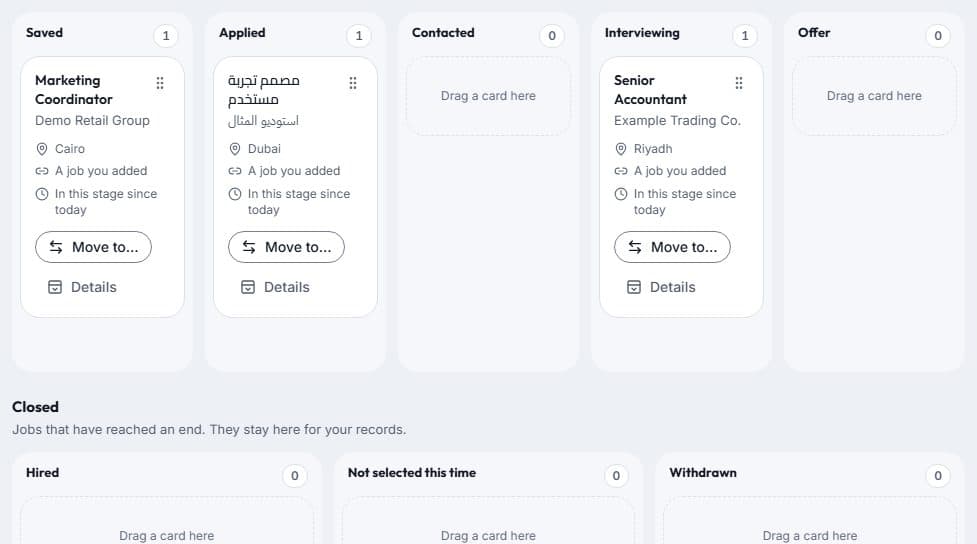
Each job sits in one of 8 stages: Saved, Applied, Interviewing, Offer, Hired, Not selected this time, and Withdrawn.
Moving a job
Drag a card to another stage, or use its “Move to” button. Moved one by mistake? Choose Undo in the message that appears.
With a keyboard, press Space or Enter on a card’s handle, move it with the arrow keys, then press Space or Enter to drop it — or Escape to cancel.
Notes, interviews and reminders
Open a job’s details to keep private notes, and to add the interview’s date and time or a day to follow up.
Tick “Remind me” and a reminder appears in your notifications bell — the day before the interview, or on the morning of the follow-up day. Reminders never come by e-mail, and only you see your notes and dates.