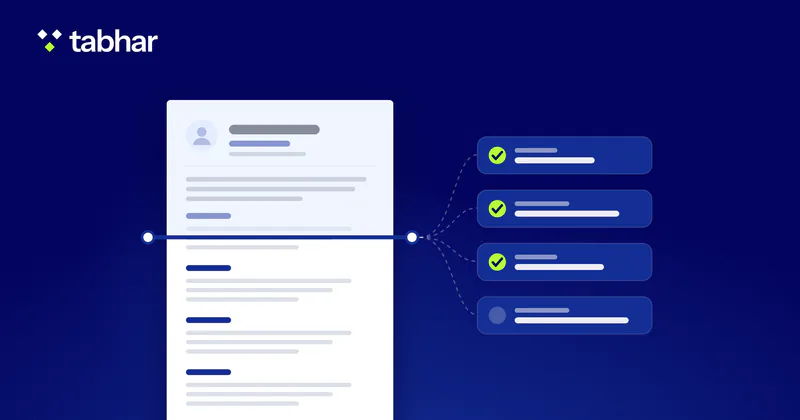
How applicant tracking systems parse, search and screen CVs, and what makes yours readable: layout, headings, dates, file type and honest keywords.
Many online applications pass through software before a person reads them, and advice about that software ranges from sound to invented. This guide sticks to what system vendors document and what researchers have measured. You will see what an applicant tracking system (ATS) does with your file, which layout choices help it read your CV correctly, how to use keywords without stretching the truth, and what an "ATS score" can and cannot tell you.
A note before we start: widely shared figures about how many CVs software "rejects" do not come from published research, so you will not find them here. The documented picture is more useful anyway, because most of it is within your control.
What an applicant tracking system does
The UK government's JobHelp service describes an ATS as software that many employers use to help them find the best candidates. Most systems do four jobs:
- Store and organise applications. MIT's career advising office notes that most systems are built like a database, and that some can also rate or score applicants against the job posting.
- Parse your file into fields such as contact details, experience and education.
- Ask screening questions, some of which can end an application automatically.
- Help recruiters search, filter and sometimes rank applicants.
The rules are set by each employer, not by the software maker. Greenhouse, an ATS vendor, tells candidates that auto-reject rules in its product are set and controlled by recruiters, and it openly acknowledges that some companies use AI to score and automatically reject applications with no human input. You cannot see how a given employer has set things up, so aim for a CV that works under every setup.
Step 1: parsing turns your file into data
A parser first converts your document into raw text, then sorts that text into fields. Textkernel, a company that builds CV-parsing technology, describes text extraction as the first step and notes that any mistake there affects every step after it. Workday's documentation says parsing results can vary with a CV's format and word order, and recommends files without images or image-based styles.
In practice:
- If your sections are read in the wrong order, details can end up in the wrong place. MIT warns that an ATS may distort or recombine information in a way that misrepresents your fit.
- A scanned page, or a CV saved as a picture, may leave the parser nothing to read.
- Language support differs between systems. Greenhouse lists Arabic among the languages its parser fully supports, but do not assume every system does. If an advert asks for an English CV, send one, and keep each CV in a single language.
Step 2: screening questions can end an application
Many applications include short questions next to the CV upload, often called knockout questions. In Oracle's recruiting software, answers to disqualification questions decide whether a candidate moves forward or is automatically disqualified. Greenhouse gives the example of answering "no" to a question about the legal right to work in the country, which leads to rejection. The vendor iCIMS lists typical deal-breakers such as commuting distance, relocation, travel, night shifts and salary, and notes that there is usually only one answer that lets you move forward.
What to do:
- Read each question carefully. It is part of the screening, not a formality.
- Answer truthfully. A careless "no" can remove you, and a false "yes" will surface later.
- If you clearly miss a hard requirement, such as the right to work in that country, a better CV will not change the result. Put your effort into roles where you meet the basics.
Step 3: search, filters and ranking
Once applications arrive, recruiters work through them. Greenhouse says most applications in its system are reviewed by people, one by one, but that for busy roles recruiters may filter the queue, for example by referrals, internal candidates or answers to application questions, and may search for candidates who meet a combination of criteria. Its help centre shows how recruiters search resumes for keywords.
The Hidden Workers: Untapped Talent report by Harvard Business School and Accenture (2021) describes the employer's side. These systems let employers set hard requirements, such as a degree or a professional licence, and then rank the remaining applicants on preferences such as a minimum period of experience or the presence of keywords. The researchers found that many of the companies they surveyed screened out CVs showing a gap in employment, in some cases automatically when the gap was longer than six months. A significant majority of employers also told them that qualified candidates were being screened out because they did not match the exact criteria in the job description.
AI matching adds another layer, and practice varies. Greenhouse's Talent Matching FAQ says the feature sorts candidates into match categories against criteria the hiring team sets, but never rejects or advances anyone automatically. Other setups are stricter: a 2024 SHRM article notes that where systems score applicants, hiring managers often see only a fraction of the CVs, because those below a certain score are not shown.
So you are writing for two readers: a system that extracts, searches and sometimes ranks, and a person who decides.
Layout: make your CV easy to extract
| Instead of | Use | Why it matters |
|---|---|---|
| Two or more columns | One column, top to bottom | Columns can be read together, out of order |
| Tables and text boxes | Plain lines and bullet points | Their content can be distorted, ignored or erased |
| Icons, photos and charts | Words such as "Email:" and "Phone:" | Pictures and diagrams are harder for an ATS to read |
| Contact details in the header or footer | Contact lines at the top of the page body | Career services advise keeping key content out of headers and footers |
| Creative headings | Standard headings | Advisers recommend standard wording and headings |
| A scanned or image-based file | A text-based PDF or a Word file | A parser needs text to extract |
Then work through this checklist:
- One column. Textkernel explains that reading a multi-column page line by line mixes information from different sections, and MIT notes that columns and text boxes can put text in the wrong order.
- Standard headings such as Experience, Education, Skills, Certifications and Languages. UK JobHelp advises standard wording, formats and headings, and LSE Careers lists standard section headings among its layout rules.
- Contact details in the page body, written as text. LSE advises against using tables, text boxes, headers or footers for key content.
- Start and end dates for every role, in one format, such as "03/2021 – 06/2024" or "March 2021 – Present". Because some systems rank applicants on a minimum period of experience, as the Harvard report describes, give the software dates it can read.
- Common fonts and whole words. MIT recommends fonts that are common across platforms, such as Arial, Calibri or Georgia, and advises against splitting a word across two lines with a hyphen, which can stop a keyword being counted.
- The file type the employer asks for. MIT considers .doc/.docx or .pdf usually safe but says to follow the requested type; UK JobHelp says a .docx file is usually the best for an ATS to read; Greenhouse accepts .doc, .docx, .pdf, .rtf and .txt uploads.
- A plain-text test. MIT suggests saving your CV as a .txt file to check that nothing is missing or out of order. Open it and read it from top to bottom.
Keywords: match the job honestly
Keywords are the skills, tools, qualifications and job titles an employer uses to describe the role. Recruiters search for them and some systems rank on them, so they matter, but only when they describe you truthfully.
- Take the terms from the advert. UK JobHelp advises spotting the key words in the job advert and using them in your CV. Note the job title, must-have skills, tools and certifications.
- Use the employer's wording where it is accurate. The SHRM article gives the example of a system set up to search for "client services" that may not pick up "customer services". LSE Careers notes that newer systems can match meaning rather than exact words, and Greenhouse says its search suggests related terms and synonyms to recruiters. You cannot know which kind you face, so use the advert's term when it truthfully describes your work.
- Show keywords in context. A skill inside a bullet that shows what you did with it is stronger than the same word in a list.
- Write abbreviations in full once, as in "Project Management Professional (PMP)", which LSE recommends. MIT warns that an abbreviated keyword may not be counted.
- Spell them correctly. UK JobHelp notes that an ATS may miss a keyword that is misspelt.
- Do not stuff. Greenhouse explains that its matching maps several related terms to the same skill, so a longer list of matched terms does not always mean a higher score. MIT reminds candidates that they must be able to account for everything on their CV. Keywords hidden in white text are still text: they appear in the extracted data, and they misrepresent you.
Example (hypothetical): an advert asks for "stakeholder management" and "Power BI". A vague bullet such as "Prepared reports for managers" could become "Built monthly Power BI dashboards for the sales team and managed reporting requests from 3 departments". Use only tools you have used and numbers you can support.
What an ATS score can and cannot tell you
Online checkers, including ours, give you a score. MIT describes how such tools compare your CV with a job description, rate it and suggest improvements. Treat the score as a checklist, not a forecast.
A score can show you:
- whether your text can be extracted, and in what order;
- whether your contact details, sections and dates are found;
- which important terms from a job description are missing;
- which formatting choices carry risk.
A score cannot show you:
- how a particular employer has configured its system, including its screening questions, filters and ranking criteria;
- whether you meet requirements that sit outside the CV, such as the right to work;
- how a recruiter will weigh your experience against other applicants;
- the employer's own score. Each tool applies its own rules, so no outside number predicts an employer's result.
Fix every real issue a checker raises, then stop chasing the number and spend your time on tailoring and evidence.
How Tabhar helps
Tabhar's free ATS checker needs no sign-up: upload a PDF or Word file, or paste your text. It runs rule-based checks, with no AI, on contact details, content, format and keywords, and gives a score with a fix for each failing check. Add a job title and description to see how your CV matches that role, shown beside the score. Inside the app, a deeper AI review is available on paid plans.
In the CV builder, changing template never changes your content, and every plan, including Free, exports to PDF and Word. English CVs can also be exported as a clean single-column "Job Application" PDF made for ATS; for Arabic CVs, Word is the ATS-friendly option. See PDF and Word export.
Related reading
- Common CV mistakes and how to fix each one
- Which skills to put on a CV, and how to prove them
- Writing your CV in English when Arabic is your first language
Sources
- Hidden Workers: Untapped Talent — Harvard Business School and Accenture (2021)
- Concept: Resume Parsing — Workday (2023)
- Disqualification Question — Oracle (2026)
- What really happens after you apply for a job? — Greenhouse (2025)
- Talent Matching FAQ — Greenhouse Support (2026)
- Search resumes for keywords — Greenhouse Support (2022)
- Supported formats for resumes, cover letters and other candidate uploads — Greenhouse Support (2026)
- Resume parsing with non-English languages — Greenhouse Support (2026)
- Here are the pre-screening questions to ask before the interview — iCIMS (2021)
- Make your resume ATS-friendly — MIT Career Advising and Professional Development (2024)
- Getting through Applicant Tracking Systems — JobHelp, UK Government (2026)
- Improving extraction from column resumes — Textkernel (2023)
- Craft Your Resume with AI in Mind — SHRM (2024)
- Your guide to applicant tracking systems (ATS): what they are and how to stand out — LSE Careers (2026)